專為 iPhone 打造的安心來電體驗Smarter caller awareness on iPhone
陌生來電, 先辨識,再決定。Know the caller. Answer with confidence.
RingMigo 幫助你辨識可疑詐騙與推銷電話、查詢陌生號碼,並與其他使用者分享回報資訊。重要的來電,讓你多一分判斷依據。RingMigo helps identify suspicious scam and telemarketing calls, look up unknown numbers, and share useful reports—giving you more context before you answer.
來電辨識提醒Caller ID warnings本機號碼資料On-device data自主手動更新Updates on demand
✓來電辨識提醒Caller ID alerts
●掌握陌生來電Know unknown callers
核心功能CORE FEATURES
需要的保護, 剛剛好。The essentials for smarter calls.
不堆疊多餘功能,聚焦真正實用的來電辨識、號碼查詢與社群回報。No unnecessary complexity—just caller information, number lookup, and community reporting.
來電辨識與詐騙警示Caller ID & Scam Alerts
當來電號碼已收錄在辨識資料中,iPhone 可顯示詐騙或推銷等識別標籤,協助你判斷是否接聽。第一版以提示為主,不自動封鎖電話。See scam or telemarketing labels for recognized incoming numbers. The first version warns you without automatically blocking calls.
提示優先 · 不自動封鎖Alerts, not auto-blocking
陌生電話號碼查詢Unknown Number Lookup
輸入陌生電話號碼,查看已知的分類、號碼格式與可取得的警示資訊。查詢結果依資料來源與更新狀態而異。Search an unknown phone number to see available categories and warning information. Results depend on data coverage and freshness.
快速查詢 · 清楚呈現Simple and clear
可疑電話回報Report Suspicious Calls
遇到可疑電話?填寫電話號碼與簡短描述,讓回報資料成為後續辨識與資料審核的參考。Received a suspicious call? Submit the number and a short description to help improve future review and identification data.
簡單填寫 · 共同防詐Share useful reports
手動更新號碼資料Manual Database Updates
號碼資料儲存在裝置中,使用者可自行按下「立即更新號碼資料」取得新資料;不在背景自動下載更新。Number information is stored on-device. Tap to update when you choose; there are no automatic background database downloads.
自行決定更新時機You control updates
畫面預覽APP PREVIEW
一眼就懂的 簡單操作。A clean experience, from first tap.
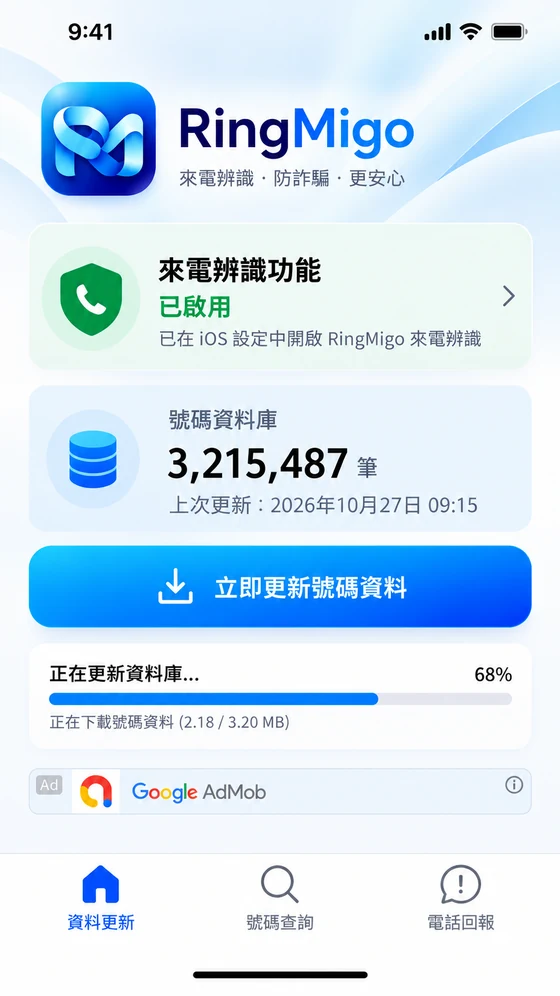
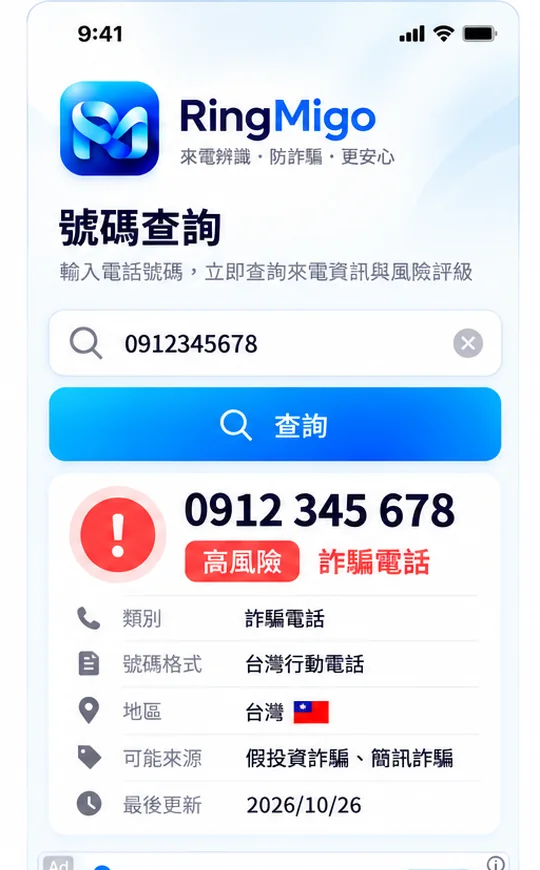
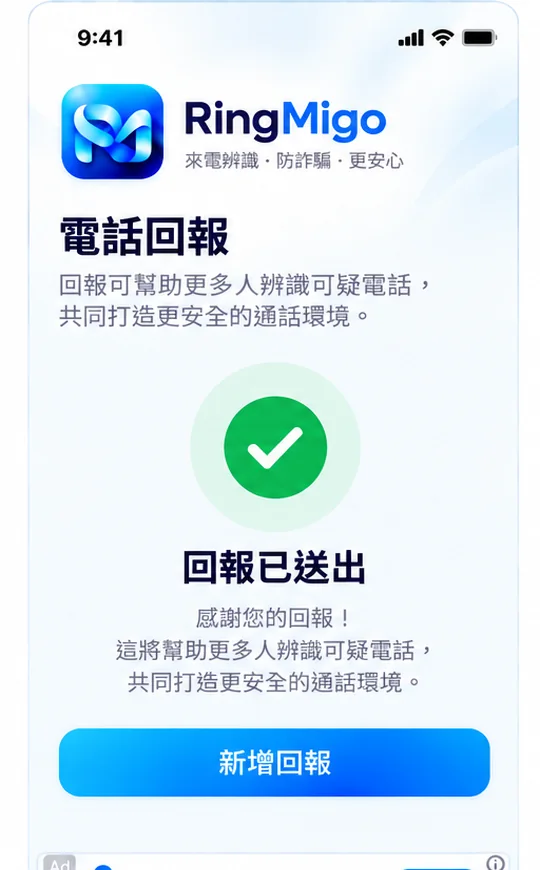
採用 RingMigo 已確認的 UI 設計概念,展示三個主要功能畫面。A preview based on RingMigo's approved design concepts for its three main screens.
01
資料更新Data Update
查看狀態,手動更新資料。Check status and update on demand.
02
號碼查詢Number Lookup
快速取得陌生號碼的參考資訊。Look up unknown numbers in seconds.
03
電話回報Report a Call
將可疑來電回報,協助其他人。Share a suspicious call report.
※ 圖片為設計示意,預覽已裁切而不顯示廣告區;畫面中的電話號碼、資料筆數與警示資訊不代表實際查詢結果。* Screens are illustrative and cropped to omit ad areas; example numbers, counts, and warnings are not verified real-world results.
如何使用GET STARTED
三個步驟, 開始安心接聽。Three simple steps to get started.
01
安裝並啟用來電辨識Install and enable caller ID
安裝 RingMigo,依照 App 引導前往 iPhone 系統設定,啟用相關來電辨識權限。Install RingMigo and follow the in-app guide to enable caller identification in iOS Settings.
02
更新號碼資料Update number information
在「資料更新」頁按下更新按鈕,取得可使用的最新號碼資料。Open Data Update and tap the update button to download the latest available number data.
03
辨識、查詢、回報Identify, search, and report
遇到陌生來電時查看系統辨識結果;有疑問可查詢號碼,也可回報可疑來電。See caller labels, search unfamiliar numbers, and report suspicious calls when useful.
設計理念OUR APPROACH
防詐騙,需要的是 資訊,不是恐慌。Better information. Less uncertainty.
RingMigo 的定位是提供來電警示與查詢資訊,協助你自行判斷。辨識資料可能不完整,也可能隨時間改變;沒有標示風險的電話,不代表絕對安全。RingMigo provides warning labels and lookup information to support your judgment. Data may be incomplete or outdated, and a number without a warning is not necessarily safe.
✦
你保有接聽的選擇權You're in control
第一版以顯示來電警告為主,不自動阻擋來電。可疑電話請避免提供密碼、驗證碼、金融資訊或個人資料,必要時主動向官方管道查證。The initial version warns rather than automatically blocking calls. Never share passwords, verification codes, banking details, or personal information with unverified callers.
不會。第一版主要顯示詐騙與推銷等來電辨識警示,讓使用者自行決定是否接聽。No. The initial version focuses on showing warnings and caller labels so you can decide whether to answer.
為什麼需要在 iPhone 設定中啟用?Why do I need to enable caller ID in iOS Settings?+
iOS 需要使用者授權來電辨識延伸功能。請依 App 內提示前往系統設定啟用 RingMigo,啟用前可能無法顯示辨識標籤。iOS requires your permission to enable a call-identification extension. Follow the app's instructions in Settings before expecting caller labels.
號碼資料會自動更新嗎?Is the number database updated automatically?+
不會。RingMigo 採用使用者手動更新;按下「立即更新號碼資料」才檢查並下載可用更新。No. RingMigo uses manual updates. Tap the update button when you want to check and download new number data.
查不到的號碼是不是安全的?Is an unlisted number safe?+
不一定。未收錄或沒有風險標籤,不代表沒有詐騙風險。請以官方資訊及獨立查證為準。Not necessarily. Missing data or a missing warning is not proof a call is safe. Verify suspicious claims independently.
如何回報 App 錯誤或提供建議?How can I report a bug or suggest an improvement?+
請使用下方共用的「回報問題/撰寫評論」入口,前往 App Store 留下評論。評論是公開的,請勿貼出自己的電話、帳號或其他個人敏感資料。Use the shared Feedback & Reviews link below to leave an App Store review. Reviews are public—never post personal phone numbers, credentials, or sensitive information.
遇到 App 畫面錯誤、辨識資訊有誤,或想分享使用心得?請透過 App Store 的評論頁面告訴我們。Found an app issue, a possible identification error, or want to share your experience? Let us know through the App Store review page.
提醒:App Store 評論為公開內容,請勿提交電話號碼、聯絡資料、帳密或其他敏感資訊。若需私密協助,請使用 App Store 產品頁提供的開發者聯絡方式。App Store reviews are public. Do not share phone numbers, passwords, contact information, or other sensitive data. For private matters, use the developer contact listed on the App Store page.
 Ring